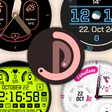
Pujie Watch Faces - Wear OS 6
PujiePersonalization
4.5147.00 Reviews
- Version
- 7.0.74f
- Installs
- 100.00K
- Age Rating
- Everyone
Screenshots
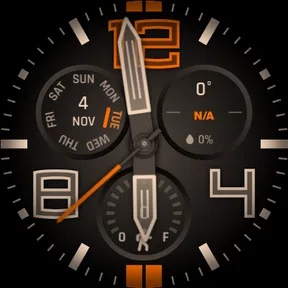
Our Review of Pujie Watch Faces - Wear OS 6
 Analysis by Appyee
I like a watch face best when it makes the information I need easy to spot without turning my wrist into a tiny dashboard. That balance is what makes Pujie Watch Faces interesting: it gives me room to shape the look and layout of a Wear OS watch rather than asking me to settle for one fixed design. The app is free to install, though some purchases are available inside it, so I can explore before deciding whether I want to spend anything.
What the app is like today
Pujie is a personalization app from Pujie, built around making and choosing watch faces for Wear OS 6 smartwatches. It has an average rating of 4.4 from around two thousand ratings, and it has passed one hundred thousand installs. Those figures suggest a healthy audience, but what matters more to me is the practical idea: a watch face can be a style choice, a quick information screen, or a mix of both.
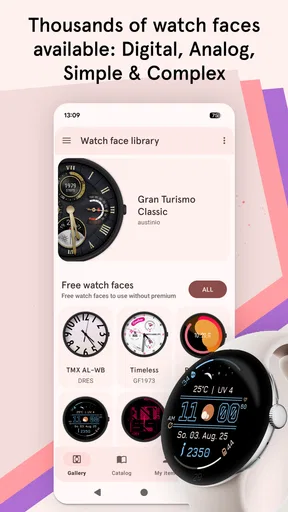
The current version is 7.0.74f, and the app was released on September 3, 2024. I’d treat those as useful markers of its present state, not proof of a particular feature history. The clearest appeal is the combination of a large face collection and tools for adjusting a design. That makes it more flexible than simply picking one of the watch faces already bundled with a watch, especially if the default options feel too familiar.
Choosing a face without overloading your wrist
When I browse a collection of watch faces, I try to decide what the watch needs to tell me before I worry about decoration. A clean face with a few readable details is better for quick glances; a busier layout can suit someone who enjoys seeing more at once. Pujie gives me room to explore both ends of that spectrum, but that freedom also means I have to make the choices. It won’t automatically know whether I value legibility, style, or extra information most.
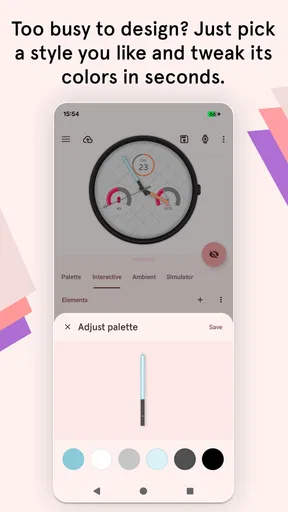
A useful approach is to start with a ready-made design and change only one or two things at first. I might adjust a color or rearrange a complication, then wear the face through an ordinary day before adding more. That small test catches a common customization trap: a layout can look impressive while sitting still in the editor and become harder to read in motion or outdoors. Readability at a glance is a better test than how many details fit on the screen.
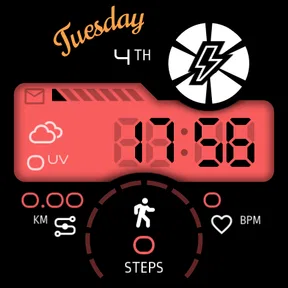
Complications—the small information areas built into a watch face—are where personal priorities become especially clear. Weather can be helpful before leaving home, while steps or battery information may matter more during a busy day. I’d choose only details I actually check. A face crowded with items I rarely use adds visual noise without saving me a trip into another app.
Making a design work in everyday routines
Imagine getting ready for work, checking the forecast, and wanting to see the time without opening several screens. I’d choose a face with a clear time display and a weather complication, then leave space for one more detail I genuinely use. Later, while walking between appointments, a step count might be more useful than a second decorative indicator. The point is not to build one perfect layout for every situation; it is to make a face that suits the routine I have.
That is also why I would keep a simple design available alongside a more expressive one. A colorful face can feel right on a weekend, while a restrained layout may be easier to read during work or in a meeting. Switching between those moods is a more sensible use of customization than trying to force every possible detail onto one screen. It also gives me a way to experiment without losing a layout I already know works.
For a first-time user, I’d explore the premade options before trying to build a face from scratch. That is not because custom design is a bad idea; it is because a finished face helps reveal how its hands, markers, and information areas fit together. Once I know what I want to change, editing becomes more deliberate. If the goal is simply to get a different look quickly, browsing and lightly adjusting a design is likely a better use of time than rebuilding every element.
Customization Galore
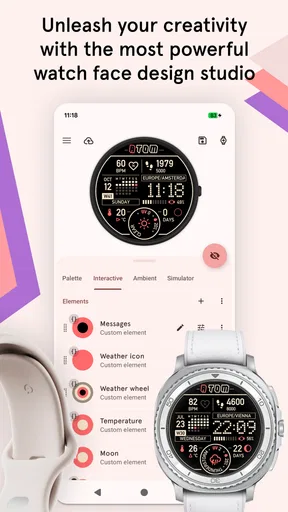
Diving into Pujie Watch Faces is like opening a treasure chest of customization options. You can tweak everything from colors to widgets, and it’s all surprisingly intuitive. At first, I was a bit overwhelmed by the array of choices, but the app’s user-friendly interface quickly won me over. I mean, who doesn’t love a good drag-and-drop feature?
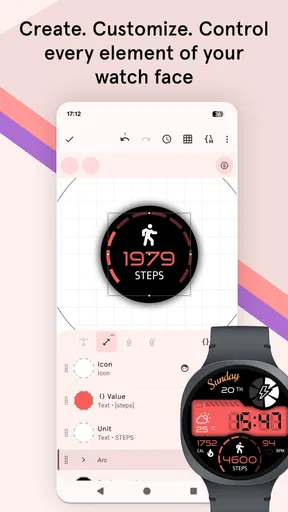
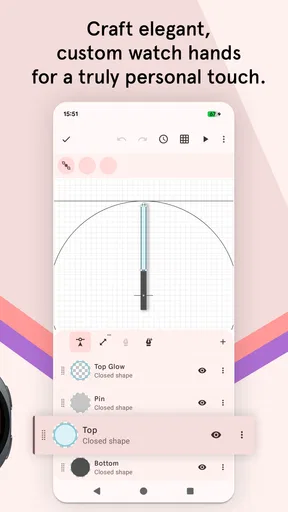
Whether you’re into minimalism or you want your watch face to look like the cockpit of the Millennium Falcon, Pujie has you covered. The app offers a plethora of pre-made designs to get you started, but the real magic happens when you start creating your own. You can adjust the hands, markers, and even add complications like weather, steps, or battery life. It’s all very "choose your own adventure," and I’m here for it.
Your Watch, Your Style
One of the standout features for me is the community aspect. Pujie lets you share your creations with others and browse what fellow users have concocted. It’s a bit like social media for watch faces, and I’ve found some truly inspiring designs. Plus, if you’re the competitive type, you can even enter design challenges. Who knew watch faces could be so social?
And let’s talk about the widgets. Oh, the widgets! You can add up to eight of them, each customizable to show exactly what you need at a glance. It’s fantastic for someone like me who’s always on the go and needs quick access to info without fumbling through apps. Want to track your fitness goals or keep an eye on your calendar? Pujie’s got your back.
When another option makes more sense
Compared with choosing among the faces already on a watch, this is the more hands-on route: I get more scope to shape the appearance, but I also take on the work of choosing and refining it. Someone who wants a dependable face with no setup may be happier with a built-in option. Likewise, if I only want one simple display and have no interest in browsing or editing, the extra creative control may feel like unnecessary work rather than a benefit.
Compared with other watch-face collections, Pujie’s maker-and-library approach is appealing when I want both inspiration and the option to personalize. The trade-off is that a large selection can make choosing harder. I’d save time by searching with a specific goal—minimal, colorful, or information-focused—rather than scrolling indefinitely. Before settling on a design, I’d check whether its key details remain clear at a glance and whether I can remove elements I don’t need.
The free entry point makes it reasonable to try the app before paying, while in-app purchases range from $1.99 to $10.99 per item. I would look at what a particular purchase adds to my own use before buying, rather than assuming I need paid content to get value from the app. If I’m still deciding whether customization suits me, I can first explore what is available without treating every attractive design as a must-have.
Small decisions that improve the result
One non-obvious tip is to design around the smallest glance, not the longest look. I’d put the time and most-used complication where my eyes naturally land, then keep secondary information visually quieter. Another is to change one part of a face at a time. If I alter color, markers, and complications together, it becomes difficult to tell which choice made the layout clearer or worse.
I’d also think about context before adding a complication. A detail that helps during a commute may be distracting in a quiet setting, and a face that works for checking the time may not be the best one for monitoring activity. Keeping separate styles for different routines can solve that problem more cleanly than squeezing every preference into one design. The extra choice is worthwhile only if switching faces feels easier than navigating a cluttered screen.
There is a practical limit to any customization tool: editing takes attention, and taste changes. I might spend time perfecting a face only to prefer a simpler one after wearing it for a day. That is not a failure; it is a reason to experiment in small steps and avoid treating a design as finished just because it looks polished in the editor. The app is strongest for people who enjoy that process, not for anyone expecting customization to happen automatically.
Performance and Ease of Use
So, what about performance? In my experience, Pujie runs smoothly without any noticeable lag, which is crucial for an app that operates in such close sync with your smartwatch. The app’s developers seem to have thought of everything, including battery optimization. I found that my watch’s battery life didn’t take a nosedive even with all the added functionality, which is a major plus in my book.
The app integrates seamlessly with Wear OS, making setup a breeze. Just a few taps and swipes, and you’re ready to strut your stuff with a brand-new watch face. And if you ever get stuck, there are plenty of tutorials and a helpful community ready to lend a hand.
Who will get the most from it
I’d recommend it most to people who enjoy changing the look of their watch and want a say in which information appears on the face. It also suits anyone who likes browsing other people’s designs for ideas, even if they ultimately make only small edits. The Everyone age rating makes the audience broad, but the real question is whether someone enjoys personalizing a small screen enough to spend a little time on it.
I’d steer away if my priority were the least possible setup, or if I found tiny controls and repeated visual decisions tiring. A stock face is often the better choice for someone who values consistency over variety. A person who needs only a glanceable time display may also be better served by a simpler option, rather than paying for or maintaining features they will rarely use.
What I’d watch as the app evolves
The version number gives existing users a helpful reference point when checking that they are using the current release, but it does not by itself tell me which parts of the experience have changed. I would judge future updates by whether choosing, editing, and wearing a face becomes clearer and more dependable—not by a bigger collection alone. For people already invested in their own designs, continuity and a comfortable editing workflow matter as much as fresh options.
For now, I’d approach it as a flexible creative tool rather than a set-and-forget utility. Before investing time in a detailed design, I’d begin with a face close to my taste, choose the two or three details I check most, and wear it in the situations that matter to me. That gives me a fair sense of whether the app’s extra control is genuinely useful or simply enjoyable to tinker with.
Final Thoughts
In the end, Pujie Watch Faces is more than just an app—it’s a playground for anyone who loves personalization and wants their smartwatch to match their unique style. Whether you’re a tech geek or just someone who likes to keep things fresh, Pujie offers something for everyone. I’ve spent countless hours tweaking and experimenting, and I still feel like I’ve only scratched the surface.
If you’re ready to take your smartwatch game to the next level, give Pujie a whirl. It’s an investment in creativity and functionality that you won’t regret. So go ahead, make your wrist the star of the show!
Verdict
Strengths of Pujie Watch Faces - Wear OS 6
- Highly customizable watch faces.
- Seamless integration with Wear OS.
- Intuitive user interface.
- Regular updates and new designs.
- Battery-friendly performance.
Limitations of Pujie Watch Faces - Wear OS 6
- Limited free features.
- Requires Wear OS 6 or above.
- Occasional sync issues.
- No standalone iOS app.
- In-app purchases can be pricey.
Similar Picks in This Category
View All
Microsoft SwiftKey AI Keyboard
SwiftKey4.3

Wallpapers
Google LLC4.1

Zedge™ Wallpapers & Ringtones
Zedge4.7

Yandex Browser with Alice AI
Direct Cursus Computer Systems Trading LLC4.3

Ringtone Maker:create ringtone
Big Bang Inc.4.7

Fonts Keyboard
Fonts Keyboard3.9
Frequently Asked Questions
What is Pujie Watch Faces and what does it offer?
Pujie Watch Faces is a customizable watch face app designed for Wear OS devices. It offers a wide range of design options, allowing users to personalize every aspect of their watch face, including colors, styles, and complications. The app enhances the functionality of your smartwatch by providing intuitive and aesthetically pleasing designs.
Is Pujie Watch Faces compatible with all Wear OS devices?
Yes, Pujie Watch Faces is compatible with all devices running Wear OS. However, for the best experience, it's recommended to ensure your device is running the latest version of Wear OS. Some older models may experience limited functionality due to hardware restrictions.
Does Pujie Watch Faces drain the smartwatch battery quickly?
Pujie Watch Faces is optimized for minimal battery usage, ensuring that it won't significantly impact your device's battery life. The app uses efficient algorithms to update watch faces, but as with any graphic-intensive application, some battery consumption is inevitable. Proper settings can help mitigate this.
Can I create my own custom watch face designs with Pujie Watch Faces?
Absolutely! Pujie Watch Faces includes a comprehensive editor that allows users to create unique watch face designs. You can customize elements such as backgrounds, hands, and complications. This feature makes it ideal for users who want to express their personal style directly on their smartwatch.
Is there a community or support for Pujie Watch Faces users?
Yes, Pujie Watch Faces has an active community of users who share their designs and tips. The developers also provide support through forums and updates to address user feedback. This community-driven approach helps ensure that the app remains user-friendly and feature-rich.
